Your Back Office, Step by Step
After the six steps

Where everything else lives

The rest of the back office, for when you need it. None of it has to happen this week.

Watch out
Manage Payment Methods is for paying Zinzino, not for getting paid. Your payout lives under Finances, WebAccount.

Home
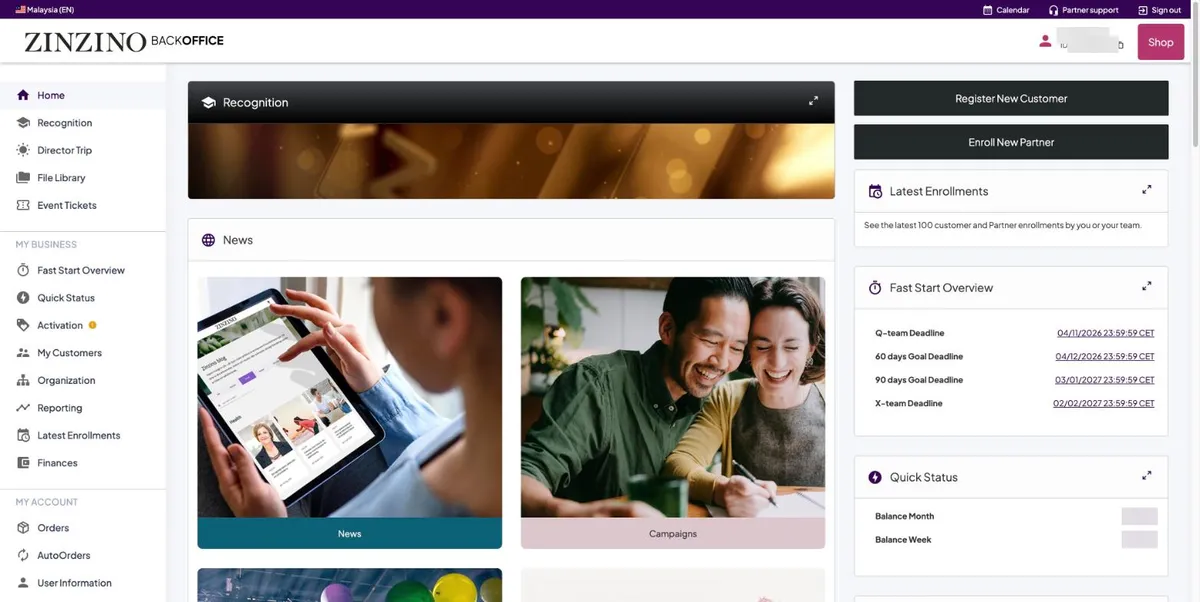
Back-office home dashboard
Home: Register New Customer and Enroll New Partner top right, your Fast Start deadlines and Quick Status below them. Everything in the left menu opens as a panel over this page.

Your numbers on day one

Almost everything reads zero on a new account. That is correct, not a problem.
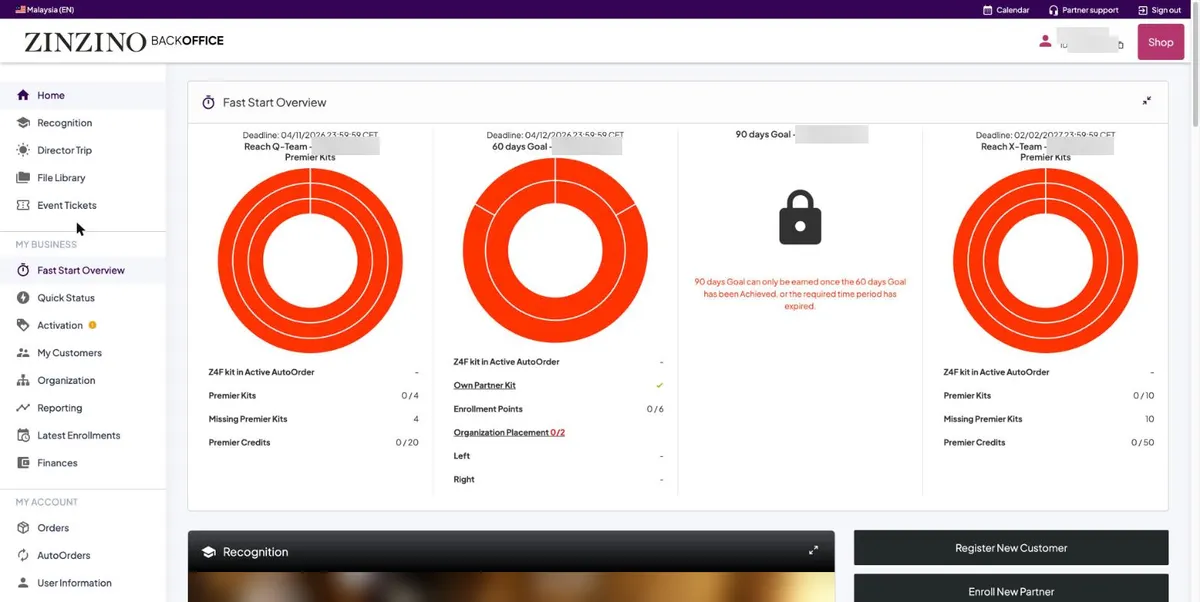
Fast Start Overview
Fast Start Overview: four goals with deadlines in CET. The 90-day goal is locked by design. Own Partner Kit is already ticked.
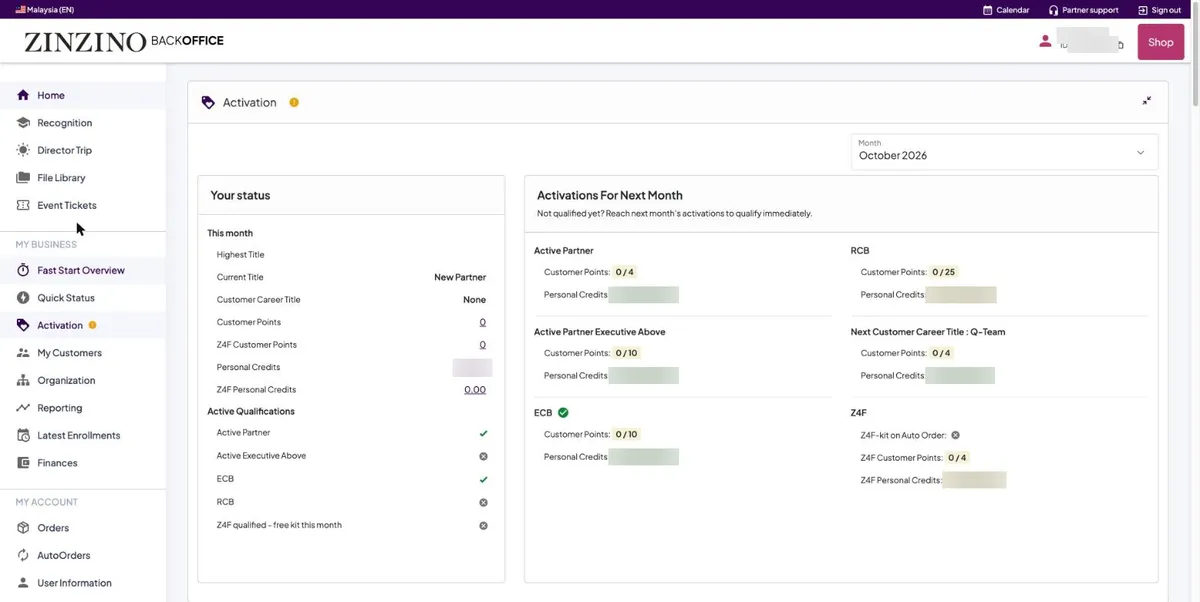
Activation panel
Activation: New Partner is your day-one title. Active Partner and ECB are already ticked by your kit. The orange dot is about next month.
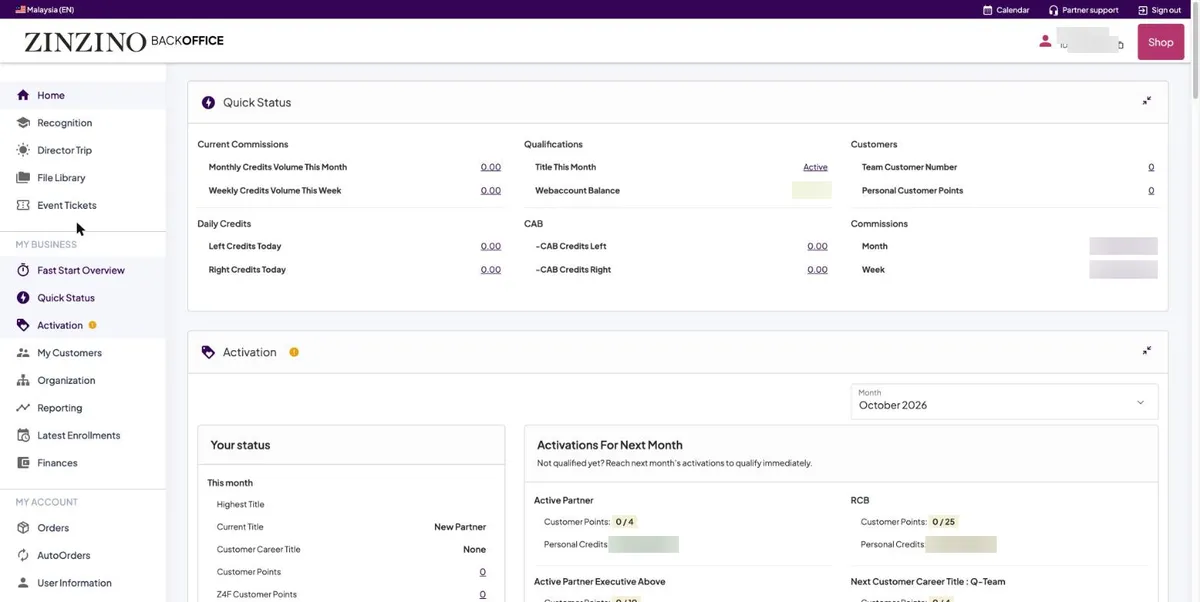
Quick Status panel
Quick Status: every number in one place. Title This Month and Current Title are two different things.

Getting paid, later

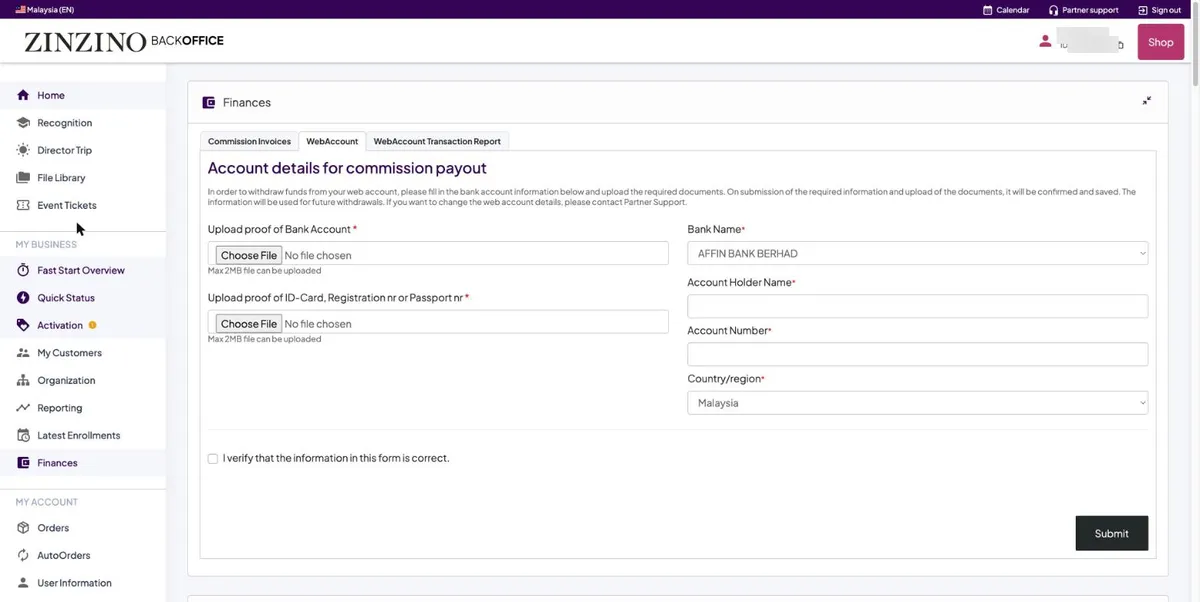
Finances, WebAccount tab
Finances, WebAccount: two uploads, your bank proof and your IC or passport, four fields and one tick. You set it once; changing it later goes through Partner Support.

Rules, materials and events

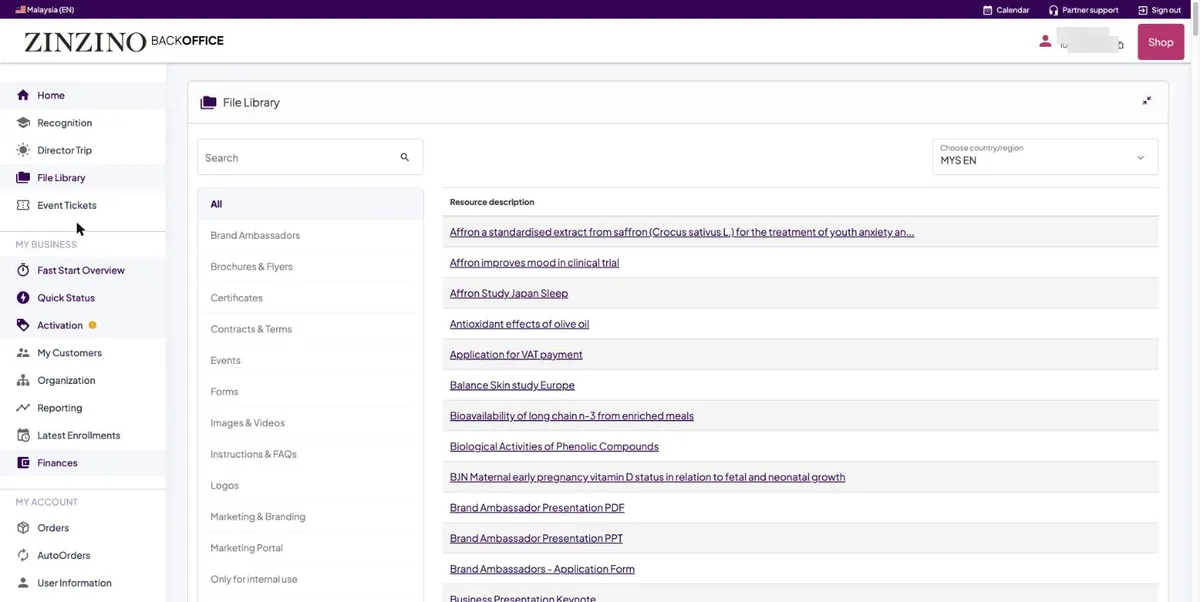
File Library
File Library: set the country to MYS EN first. Contracts & Terms holds the rules. Marketing & Branding holds what you may share.
Event calendar
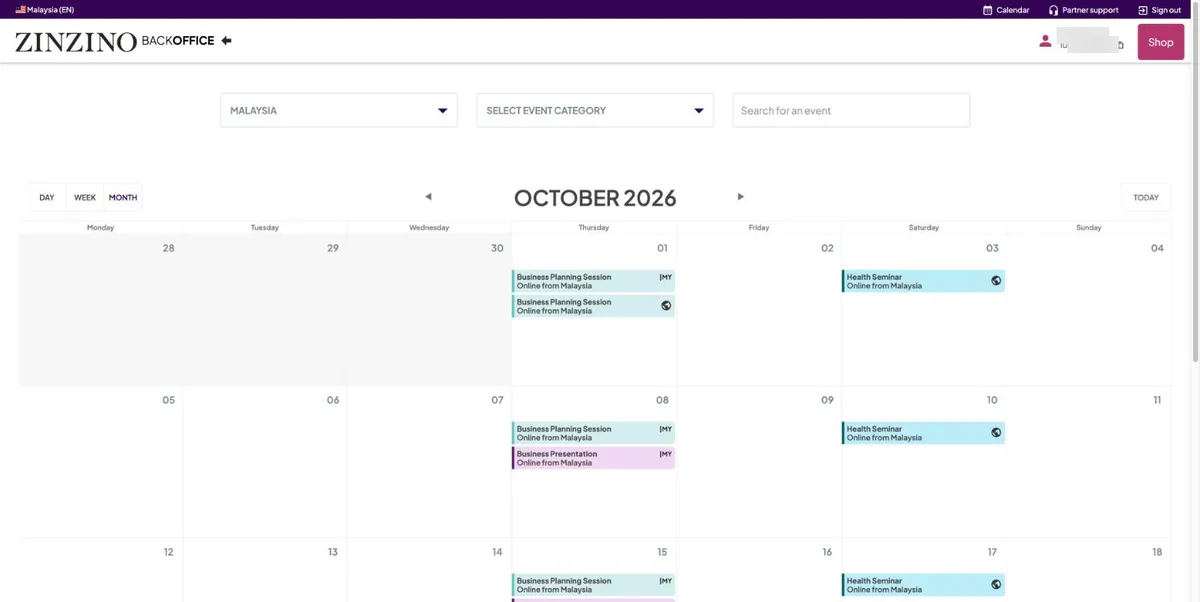
Calendar, in the top bar: set Malaysia and find this week’s Business Planning Session. Come to that one.

What to send people

Partner tools on the home page
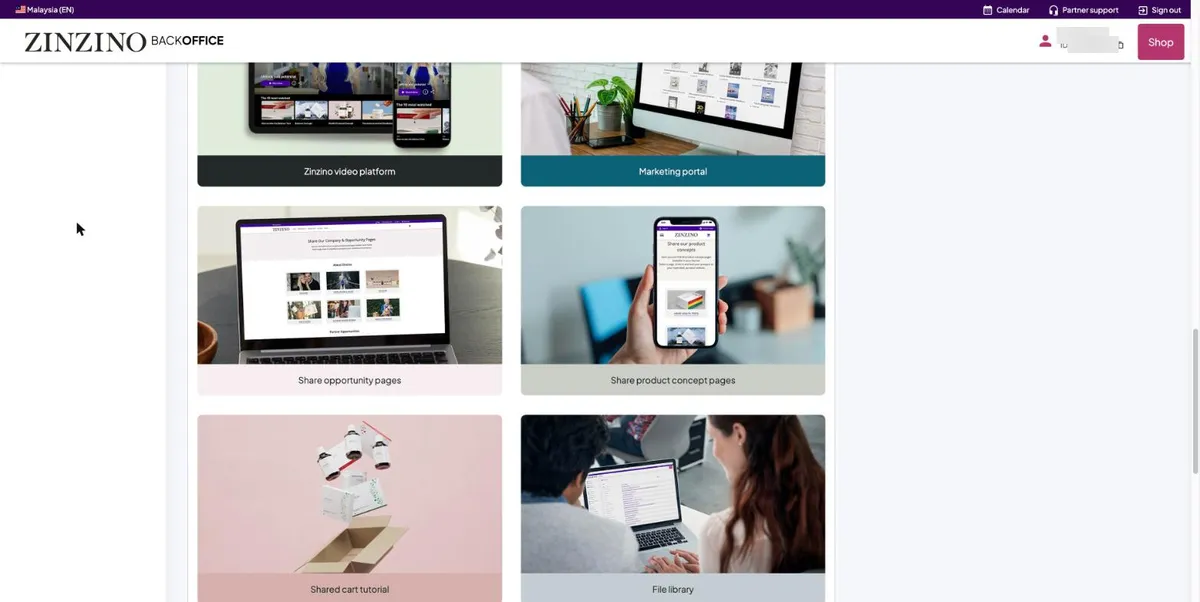
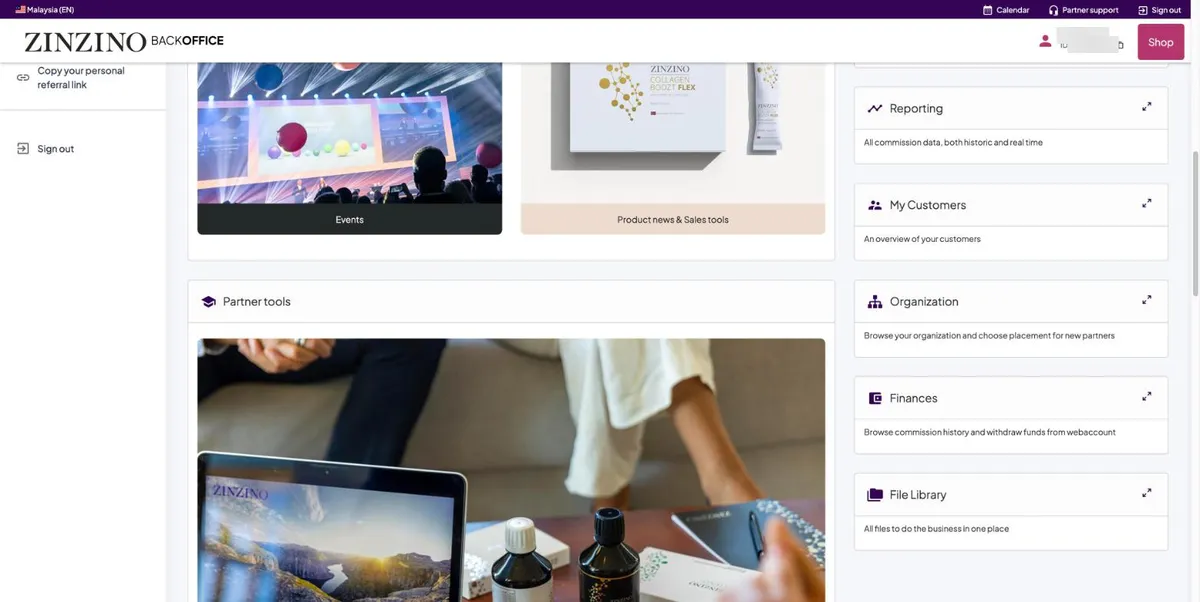
Partner tools, further down Home: Share opportunity pages and Share product concept pages are what you send a prospect, rather than your own explanation.
Copy your personal referral link in the left menu
At the bottom of the left menu: Copy your personal referral link. It copies without any message, so paste it somewhere to check.

Where to ask

Partner support help centre
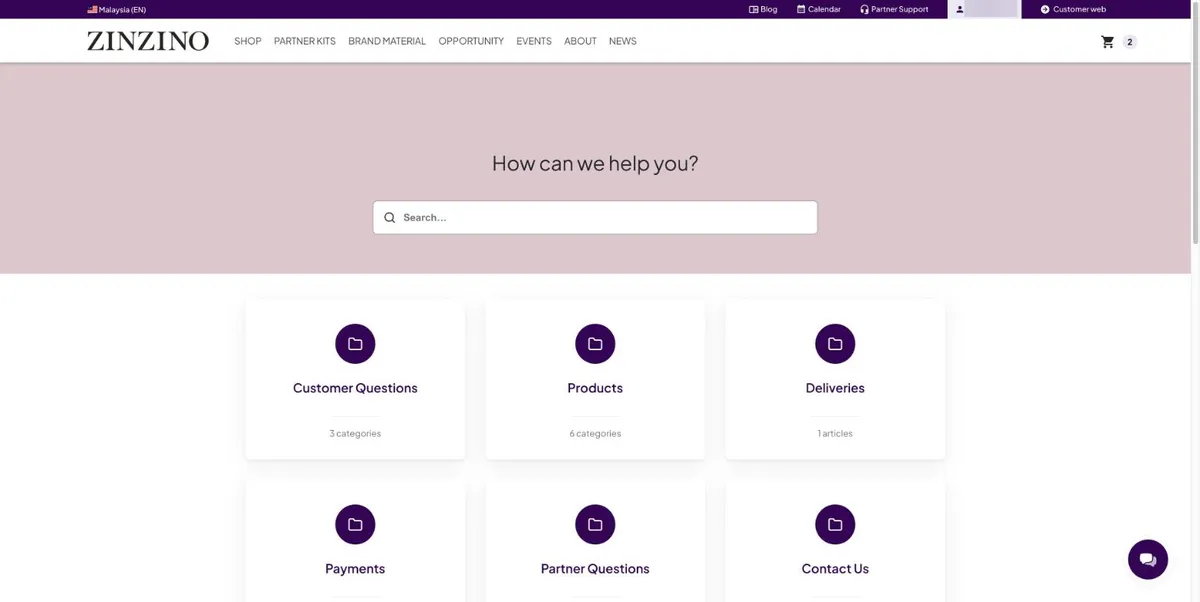
Partner support, in the top bar, is a searchable help centre. Search first. Contact Us is the last tile.

Zinzino answers orders, deliveries and payments. Your sponsor answers how to use the product and how to share it.

For sponsors: the 20-minute first call

  1. 1Minute 0: say what the call is for. Two things to do, and where everything else lives.
  2. 2Minute 1: step 1, the terms, if not yet accepted. Point at the partner ID.
  3. 3Minute 3: step 2, the profile. They press I’m done.
  4. 4Minute 6: Home, then the day-one numbers. Zero is correct.
  5. 5Minute 11: step 3. They create the Z4F AutoOrder, then see the tick on Fast Start.
  6. 6Minute 15: payout setup, so they know it exists. Not today.
  7. 7Minute 16: this week’s Business Planning Session on the Calendar.
  8. 8Minute 17: the two Share pages and the referral link.
  9. 9Minute 18: where to ask. Then send them this page.
You’re done when…
You know where each of these is. Come back to this page when you need one.
For sponsors
Do not tour all of this on the first call. Show Home and the numbers; send the link for the rest.
Back to all steps